Creating your first app
From what you type to the app online. It takes minutes, and the Free plan walks the whole path without asking for a card.
Before you start
An email address. That is it. Free creates, edits and publishes a whole app with no payment method, with the platform's badge in the corner and on a .fabapp.app subdomain.
Step 1: describe the idea
In the panel, under My projects, the field at the top asks what you want to build.
 Write in your own words and your own language, saying who will use the app, what those people do in it, and why.
If you do not know where to start, the Templates tab has ready-made apps. The button on the template's sheet creates a real project from it, by copying, with no AI spent. It is the fastest way to see the product working.
Step 2: let the AI build
The AI decides the screens, the data model, the look and the navigation, and assembles it all. The first build of a new app usually takes two to five minutes, depending on how many screens it decides to create.
While it works, the assistant shows what it is writing. You do not have to watch.
Step 3: look and adjust
With the app ready, the Preview tab shows it actually running: you can click, navigate and use it.
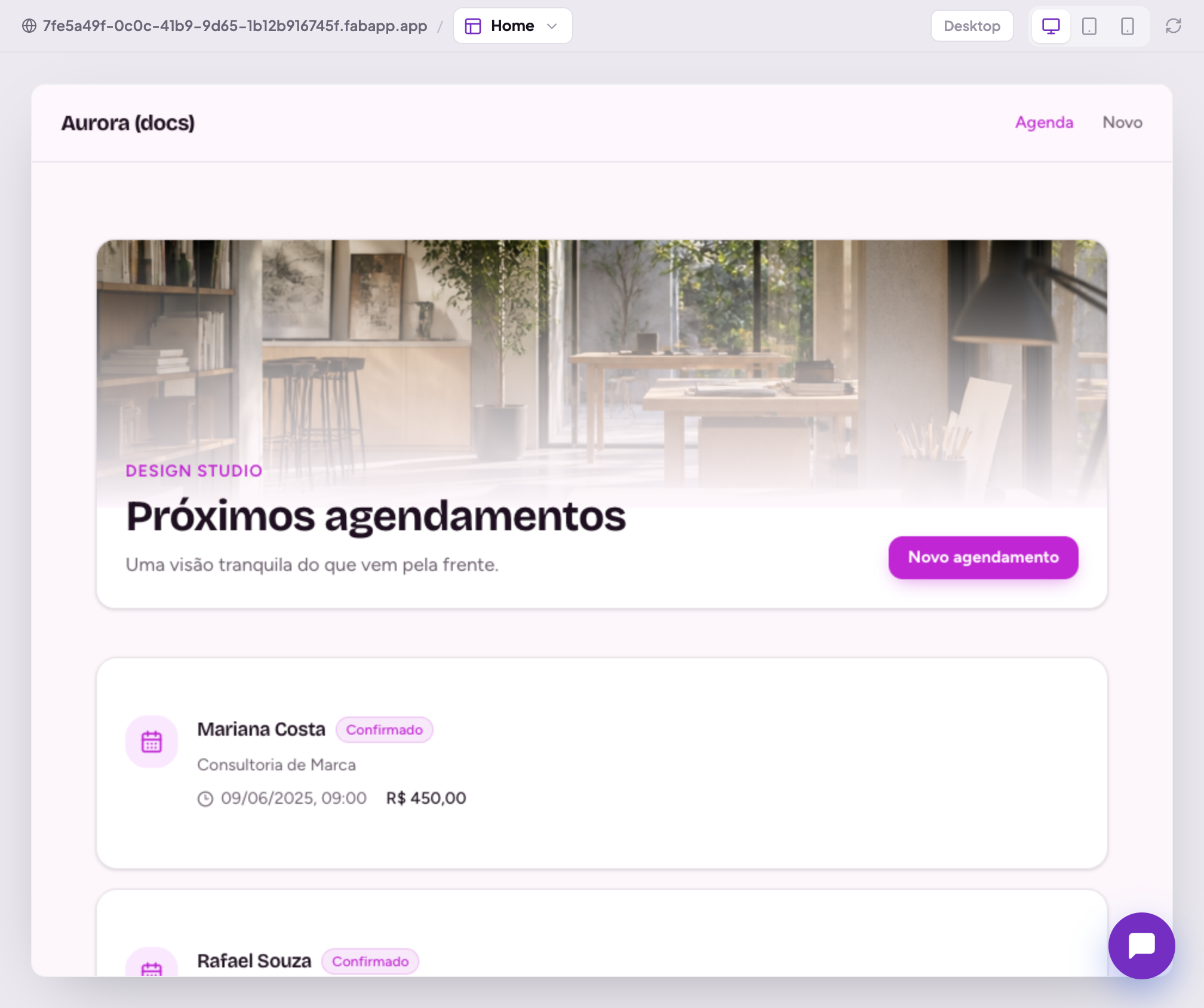
From here there are two ways to change things, and the choice changes the cost:
- through the chat, for logic or structure ("add a reports screen", "send an email when someone signs up"). Consumes credits;
- through the preview, turning on Edit in the top bar and clicking straight on the element, for text, position and appearance. Consumes no credits at all.
If the screens look empty and you want to see them with content, ask the assistant to fill in sample data. It builds a proposal, shows the records before writing anything, and only applies them when you click Apply, with Undo available afterwards.
Step 4: publish
The Publish button is in the top bar. One click and the app is online, with its own address and HTTPS.
You can publish as often as you like: each publish replaces the previous one, and the draft stays separate from what is live.
Step 5: what comes next
In this order, which is the one that causes the least rework:
- Brand, so the app looks like yours;
- Authentication, if people need an account inside the app;
- Data, to check the models the AI created and the rules about who sees what;
- Domains, to swap the address for your own;
- Integrations, when the app needs to charge, send email or talk to another system.
Project, app and surface
Three words that show up in the interface and confuse at first:
- the project is the whole: data, users, integrations and rules;
- the app (or surface) is one surface of that project, the thing people open;
- a project can have more than one surface sharing the same data.
For your first app, project and app are the same thing and you do not need to think about it.