Writing good prompts
How to describe what you want so the AI builds the app you pictured, and not one that resembles it.
A prompt is just a description of what you want, written in your own words. There is no syntax, no special command and no wrong way to write one. What there is, is a big difference between a vague description and a clear one, and this guide is about that difference.
One thing first: the first answer does not have to be right. Building here is a loop, not a single shot. You describe, the AI builds, you look and ask for the adjustment. People who treat the first result as a draft get further than people who try to nail everything in the first sentence.
Phase 1: before you write
Say who uses it, what it does and why
The first prompt is the foundation. It does not need every detail, it needs the heart of the app: who will use it, what those people do there, and why that is useful.
An expense tracker for freelancers who serve several clients at once.
The person logs an expense, tags it to a client and a category, and sees the
monthly total per client. The goal is to make tax season painless.
Notice there is not a word about colour, font or buttons. That comes later, and comes more easily once the app exists.
Write in your own language
The AI understands your language and builds the app in the language you write. Do not translate into English thinking it will come out better.
Phase 2: describing clearly
Describe the screen, not just the idea
Whatever you leave out, the AI decides on its own. The more concrete you are, the less it has to invent.
- Vague: "make a dashboard of my sales."
- Clear: "make a sales dashboard with three cards at the top showing total revenue, deals won and deals lost, and below them a bar chart of revenue by month."
Say why, not just what
The reason carries information the instruction alone does not, and it is what lets the AI get right the details you did not specify.
- Just the what: "put the sign-up button at the top."
- With the why: "put the sign-up button at the top, because it is the first thing a new visitor needs to see."
Borrow from apps you already know
You do not have to describe a look from nothing. Naming an app everyone knows is a shortcut, as long as you say which part of it you mean.
- "organise it like Trello, with cards I drag between columns."
- "make it as clean and roomy as Notion, but with my colours."
Ask for one thing at a time
A prompt describing the whole app is harder to get right and much harder to fix when something comes out crooked. Start with the core, see it work, then add.
Start:  a booking app where the client picks a service and a free time slot.
Next:   now send a confirmation email as soon as they book.
Next:   now hide slots that are already taken, so nothing gets double-booked.
Focused requests also tend to cost fewer credits, because a small clear change touches fewer files than a broad one.
Phase 3: fixing
Ask for the fix, not a description of the defect
When something looks off, describe where you want to end up, not just what is wrong. The AI builds from the target, not from your irritation.
- The defect: "the home page is cluttered and cramped."
- The fix: "give the home page more room to breathe: fewer items per row and more space between the sections."
Say what must NOT change
This is the request that saves the most rework, and almost nobody makes it.
Change only the primary button's colour to green. Do not touch the rest of the page.
Point instead of describing
When the adjustment is on something specific on screen, it is faster to switch on Edit in the top bar and click the element than to write a paragraph trying to explain which button you mean.
What the AI does before building
Depending on the size of the request, instead of building straight away the assistant answers with a plan: the list of what it intends to do, with Approve and build underneath. That is not the AI stalling, it is your chance to correct course before a whole round is spent. Small requests go straight through; requests that delete or rewrite things go through the plan.
If the plan is not what you wanted, do not approve it: type the correction and it is rebuilt.
Attachments help more than adjectives
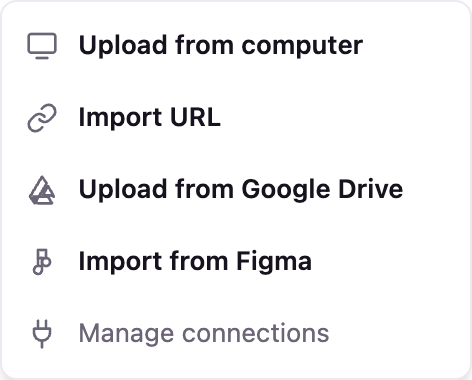
You can attach a file in the chat with the Attach file button. A spreadsheet with the real data, a PDF with the business rules or a screenshot of the screen you want to imitate is worth more than three paragraphs of description.