Before you get your app off the ground, get it down on paper
Before the first prompt, answer 5 questions on a sheet of paper. That is what separates the app that comes out right from the app that stalls on the tenth tweak.

Straight to the point.
Most of the apps that stall on Fabapp do not stall because of the AI. They stall because the person opened the platform with the idea still in their head. They asked, they got something, they tweaked it, they asked again. By the fifteenth tweak, even they could not remember what they wanted.
The AI does not guess. It fills in the blanks. Everything you did not decide, it decides for you.
So today we are going to decide first. One sheet, five questions, ten minutes.
And so this does not stay theory, let us do it together, start to finish.
The project
Carla runs a beauty salon. Today her clients book by WhatsApp, and she spends her day answering "any openings on Saturday?". She wants an app to solve that.
That is the app we are going to put on paper right now. For each question I will show you a bad answer and a good one. Pay attention to the difference, because that is what decides whether the AI gets it right or guesses.
Question 1. Who is going to use it?
"Anyone who wants to book."
Why it is bad: "anyone" tells the AI nothing. It does not know who signs in, who runs the place, who sees what.
"The client, who books on her phone. And Carla, who sets up the services and checks the day's schedule."
Why it is good: now the AI knows there are two people and that each one sees different screens.
On Carla's sheet: client and Carla (salon owner).
Question 2. What problem does the app solve?
"A complete app to run the salon, with scheduling, finances, inventory and a loyalty program."
Why it is bad: that is not a problem, it is a wish list. And every item on the list is a different app.
"The client books her own appointment, without having to send a message."
Why it is good: it fits in one sentence and you can test it. If the client can book without talking to Carla, the app works.
If your sentence has "and" in it more than once, you are trying to solve more than one problem.
On Carla's sheet: the client books on her own, without sending a message.
Question 3. What are the 3 main screens?
"Login, sign-up, home, services, schedule, profile, history, reviews, coupons, notifications, settings."
Why it is bad: that is eleven screens. The AI will build all eleven halfway, and you will spend the week fixing them.
"List of services. Pick a day and a time. Booking confirmation."
Why it is good: those are the three screens without which the app does not exist. Login, profile and coupons come later, once the heart of it is beating.
Take a screen off the list. If the client can still book, that screen is not a main one.
On Carla's sheet: services, time, confirmation.
Question 4. What does the person do on each screen?
"On the services screen the client sees the services, filters by category, looks at the photos, reads the reviews, compares prices and picks one."
Why it is bad: that is one screen doing six things. A screen that does everything confuses the client and confuses the AI.
"Services: pick the service. Time: pick the day and the hour. Confirmation: confirm."
Why it is good: one verb per screen. You can see the client's whole path, start to finish, in three steps.
If you need more than one verb to explain a screen, it should probably be two screens.
On Carla's sheet: pick, pick, confirm.
Question 5. What does the app need to store?
"The salon's data."
Why it is bad: which data? The AI will make it up. It may create fields for tax ID, address and date of birth, and forget the open time slots, which are the part that matters.
"Services (name, price and duration). Open slots for the week. Bookings (client, service, day and time)."
Why it is good: it is everything that has to still be there when someone closes the app. Nothing more, nothing less.
Think about the next day. What does Carla need to open the app and find? That is what the app stores.
On Carla's sheet: services, open slots and bookings.
The finished sheet
Here is how Carla's sheet turned out:
Who uses it: the client and Carla.
Problem: the client books on her own, without sending a message.
Screens: services, time, confirmation.
What she does on each one: pick, pick, confirm.
What it stores: services, open slots, bookings.
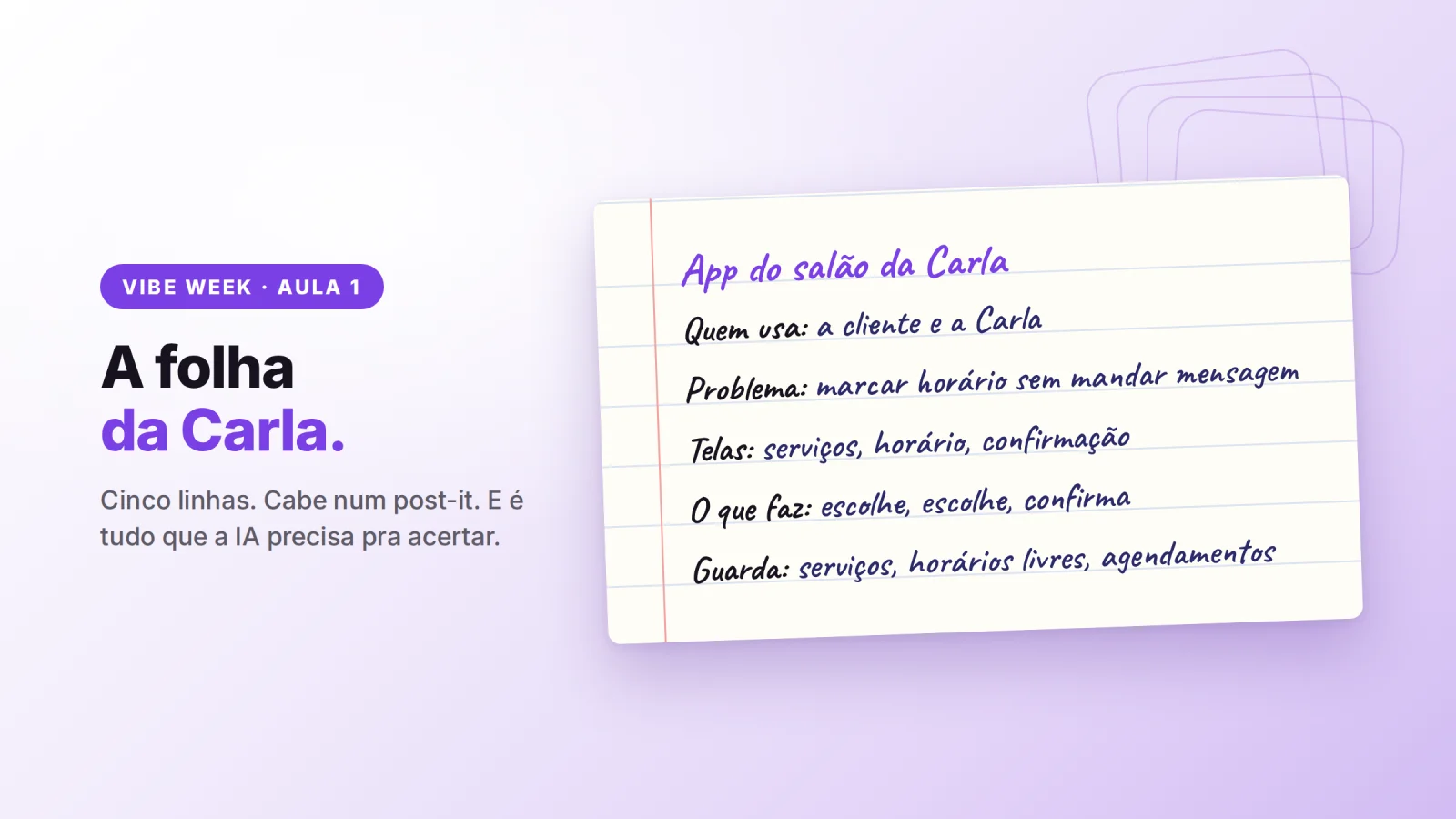
Five lines. It fits on a post-it.
Now look at the difference it makes
A prompt without the sheet:
"Build a booking app for my salon."
A prompt with the sheet:
"Create a booking app for a beauty salon. There are two people: the client, who books on her phone, and the owner, who sets up the services and checks the schedule. The goal is for the client to book on her own, without sending a message. For now I only want three screens: list of services, picking a day and a time, and confirmation. The app needs to store the services (name, price and duration), the open slots for the week and the bookings."
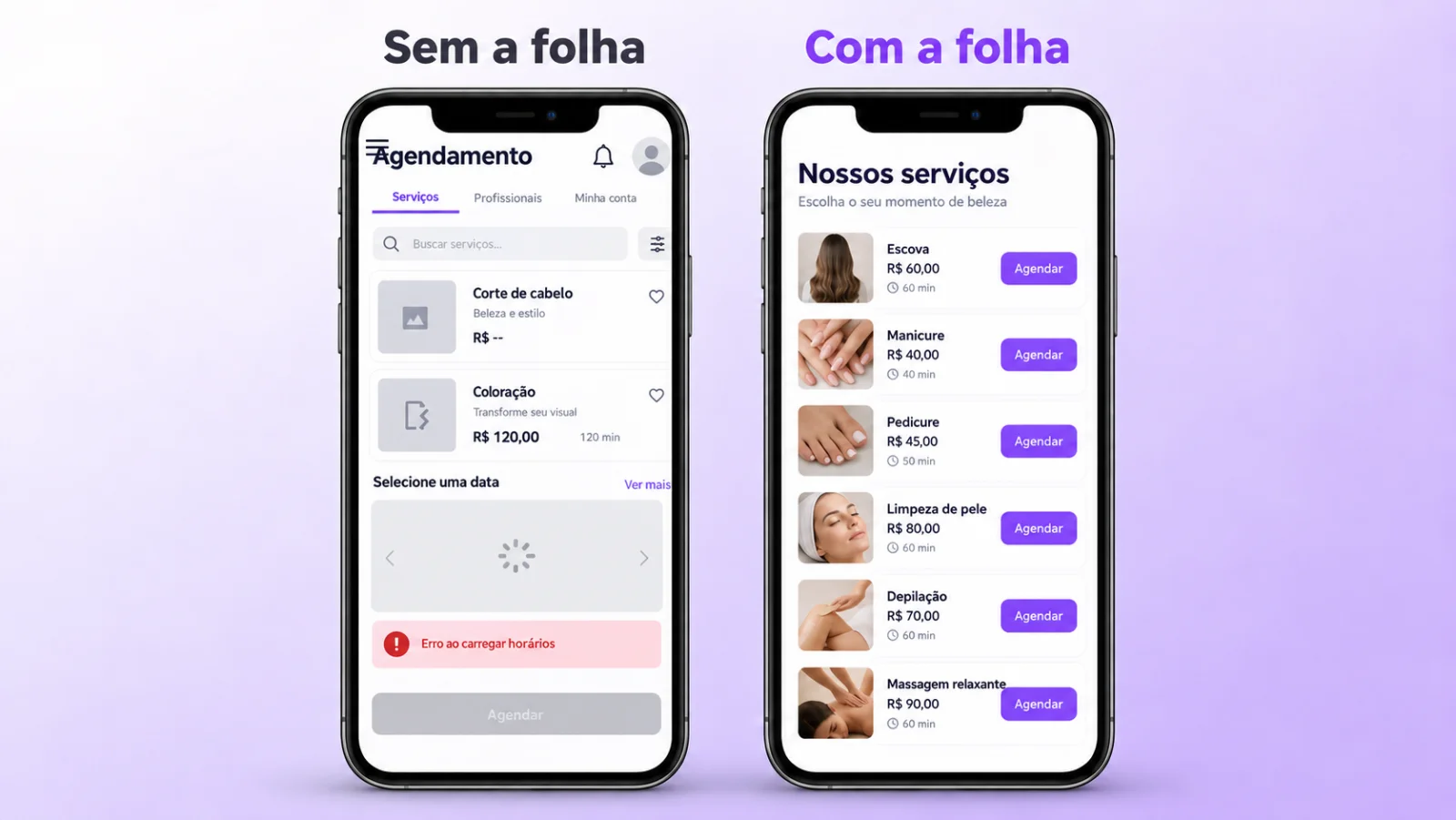
In the first one, the AI guesses. In the second, it executes.
And notice: I did not think up anything new to write that second prompt. I just copied the sheet. Tomorrow (September 20), in the next Vibe Week class, we are going to take this prompt and make it even better.
Before you close, check your sheet
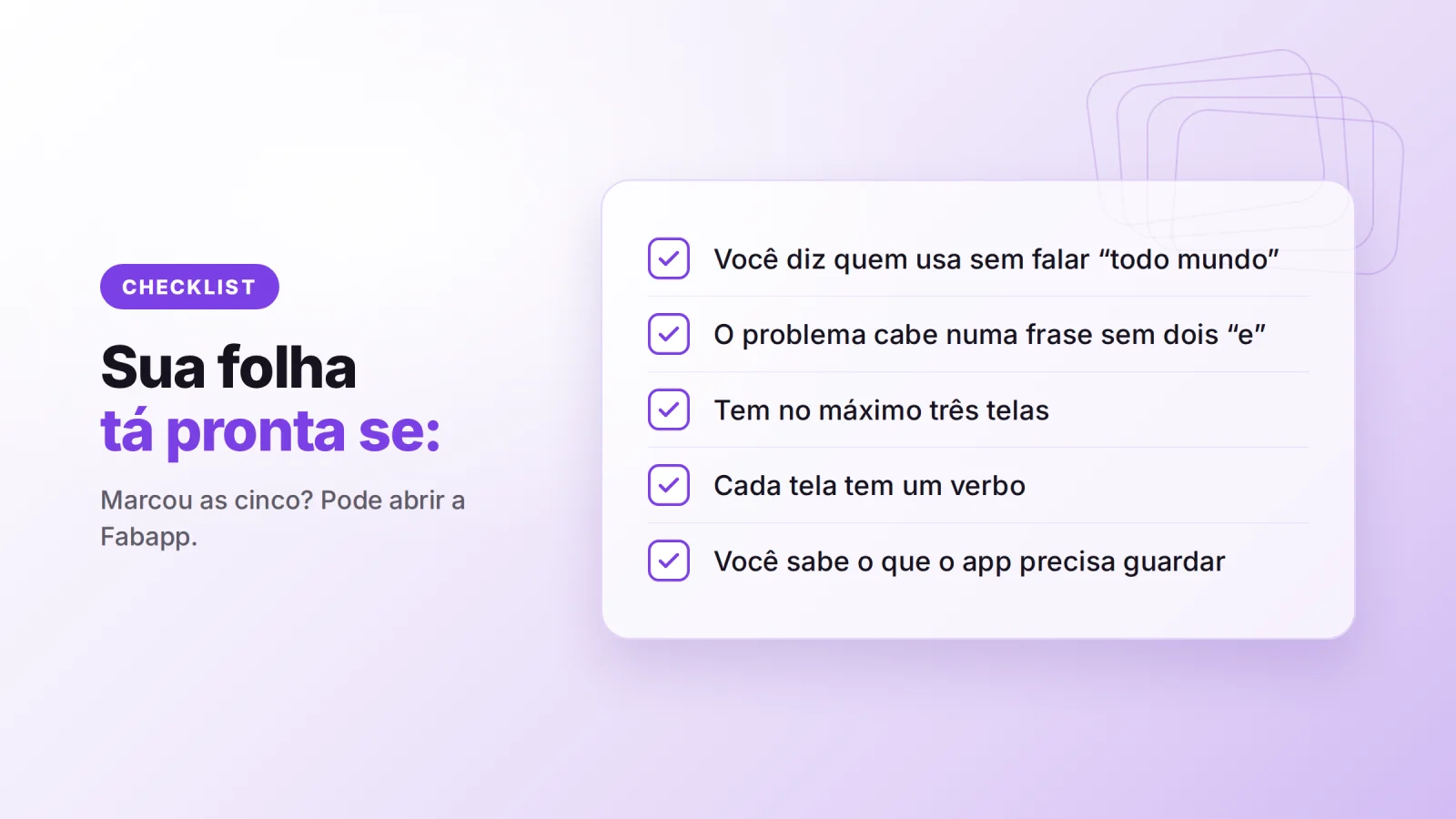
Your sheet is ready if:
- You can say who uses it without saying "anyone".
- The problem fits in one sentence with no two "and"s.
- There are three screens at most.
- Each screen has one verb.
- You know what the app needs to store.
Now it is your turn
Grab a sheet of paper and do yours. It takes ten minutes.
The sheet template is pinned in the #vibe-week channel of our Discord community. Post yours there and we will give you feedback.
And if you do not have a Fabapp account yet, you can start for free at fabapp.ai. Until the 27th, during Vibe Week, the discount and the extra credit are already applied automatically on the site.
Douglas
A ready request to build your own
Build an app for a dietitian. Patients sign up and fill out an intake health history; the dietitian books appointments in open slots, in person or online, with an email reminder; at each appointment she records weight, measurements and the meal plan by meal; patients see only their own plan and their progress on a chart; appointment packages paid by card or a local payment method; and a dashboard only she can see with this week's appointments, patients with no follow-up in 60 days and revenue.
Free to start. The first version arrives in a few minutes and you refine it by chatting.