One request at a time: the right order to build your app with AI
Asking for everything at once is the fastest way to burn through credit. Here is the same app built in 5 requests, with the test for each one.
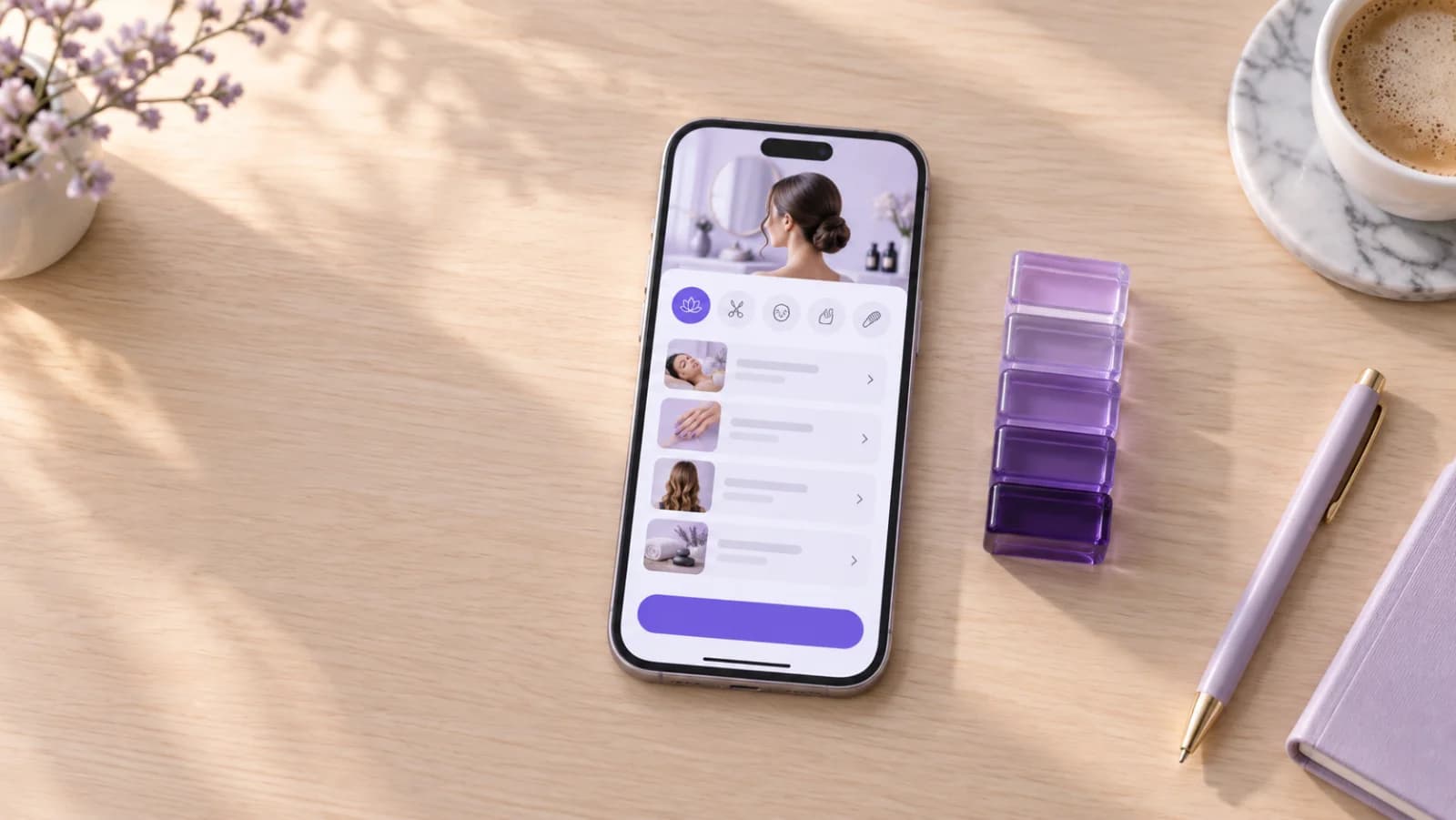
There is a very fast way to burn through credit on Fabapp. Ask for ten things in a single message.
And it is not because the AI cannot handle the ten. It can. The problem shows up later, when one thing breaks and you have no idea which of the ten pulled the other one down. So you ask for a fix. The fix touches something else. Half an hour later you are fixing the fix.
Here we build a different way. One request, one test, next request.
Each request is a layer. The next one only goes on once the one underneath is standing.
And so this does not stay theory, let us pick up Carla's app where we left it.
Where we left off
In lesson 2, Carla, who runs a beauty salon, put her app down on paper. Who uses it: the client and her. Problem: the client books her own appointment, without sending a message. Screens: services, time and confirmation.
With that sheet she wrote the first prompt.
Now she wants the rest. A dashboard for her, login for the clients, a reminder and a deposit by Pix so nobody skips their slot. The temptation is to send it all at once.
Look at what happens.
The way almost everyone does it
"Create a booking app for a salon with a list of services, picking a time, confirmation, an owner's dashboard to set up services and check the schedule, client login to see and cancel bookings, a reminder the day before and a 30% deposit by Pix."
It looks organized. It is all in there.
Except it is seven things in one request. The AI does all seven, Carla goes to test it and finds out that a cancelled slot does not go back to being free. Where does that come from? The login? The dashboard? The schedule? The payment, which holds the slot until the Pix clears?
She does not know. And the AI is going to have to guess right along with her.
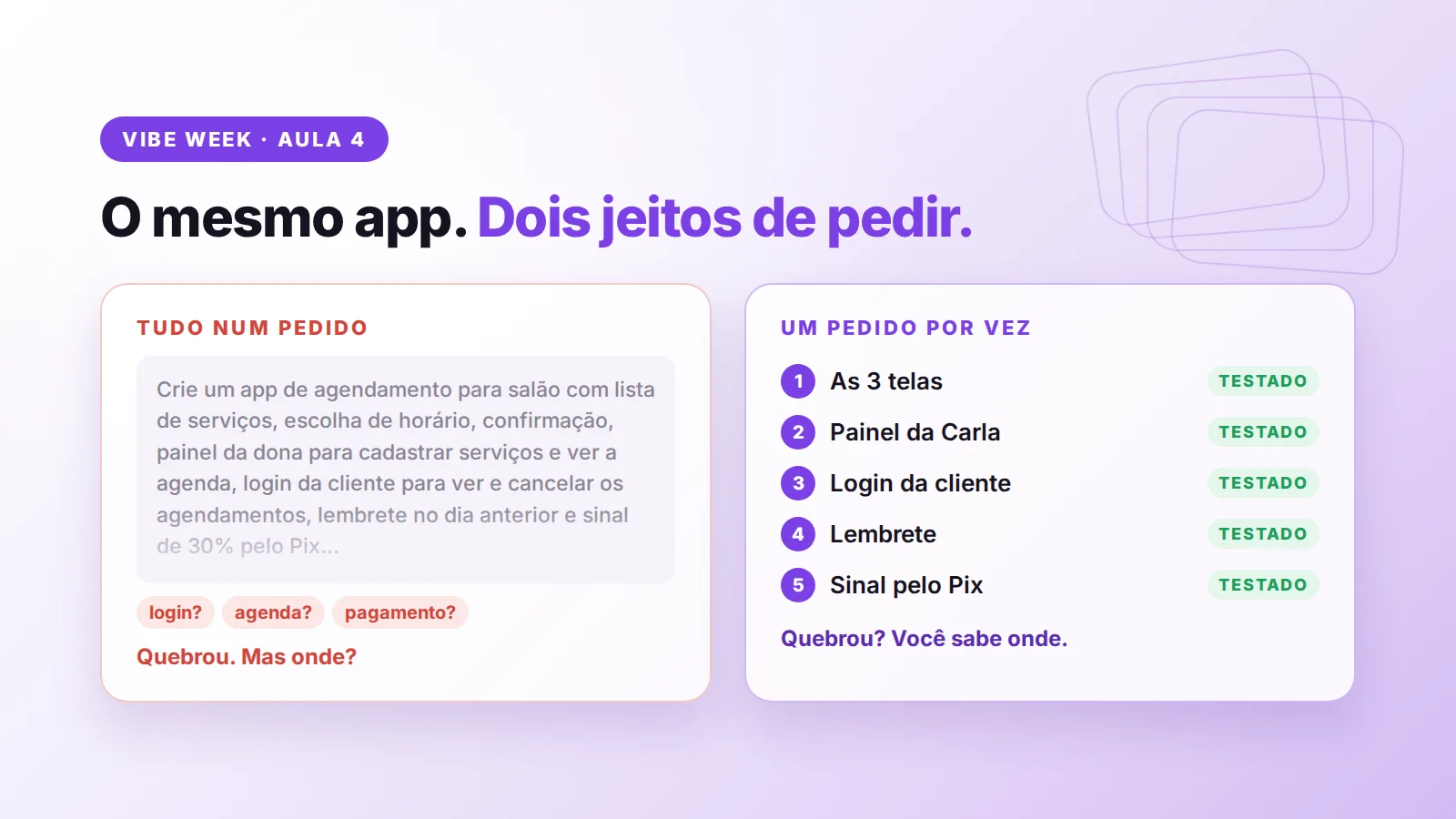
The right way: five requests, in this order
For each request I will show you a bad way and a good way to ask. And the test you run before moving on to the next one. Skip the test and the layer above it is born crooked.
Request 1. The heart of it
You already have this one. It is the prompt that came out of the sheet in lesson 2.
"Create a booking app for a beauty salon. There are two people: the client, who books on her phone, and the owner, who sets up the services and checks the schedule. The goal is for the client to book on her own, without sending a message. For now I only want three screens: list of services, picking a day and a time, and confirmation. The app needs to store the services (name, price and duration), the open slots for the week and the bookings."
Why it goes first: without this there is no app. Everything else is a layer on top.
Open it as a client, pick a service, pick a time, confirm. Did it book? Next.
Request 2. Carla's side
"Now do the owner's part."
Why it is bad: which part? The AI will decide on its own what Carla sees and what she gets to change.
"Add a dashboard for the salon owner. There she sets up the services (name, price and duration) and sees the day's bookings."
Why it is good: it says who uses it, what she does and what she sees. And there is only one new thing in it, the dashboard.
Set up a new service in the dashboard. Did it show up for the client? Now book a time as a client. Did it land in the dashboard?
Request 3. The client's account
"Add login, profile, history, favourites and reviews."
Why it is bad: that is five requests wearing one coat.
"Add login for the client. Once she is signed in, she sees her bookings and can cancel them. When she cancels, the slot goes back to being free."
Why it is good: it does not just ask for "login". It explains what happens after she signs in. And it writes down the cancellation rule, which is exactly where things go wrong most often.
Cancel a booking. Did the slot show up again for another client?
Request 4. The reminder
"Add notifications."
Why it is bad: notifications about what? For whom? When? The AI makes up all three answers.
"Send the client a reminder one day before her booking, with the service, the day and the time."
Why it is good: who gets it, when they get it and what it says. Nothing left to guess.
Book a slot for tomorrow and check that the reminder goes out with the right service, day and time.
Request 5. The payment
"Add payment."
Why it is bad: payment of how much, at what point, and what happens if the person does not pay?
"On the confirmation screen, ask for a 30% deposit on the price of the service, by Pix. The slot is only held once the deposit has been paid."
Why it is good: it has the amount, the moment and the rule.
And why does it come last? Because payment touches everything that came before it. Service, price, time, confirmation. If any one of those layers is crooked, the payment inherits the problem and now you have two.
Make a booking end to end, from the service all the way to the Pix.
Why this order
Each request leans on the one below it. The dashboard needs the services. The cancellation needs the login. The reminder needs the booking. The payment needs all of it.
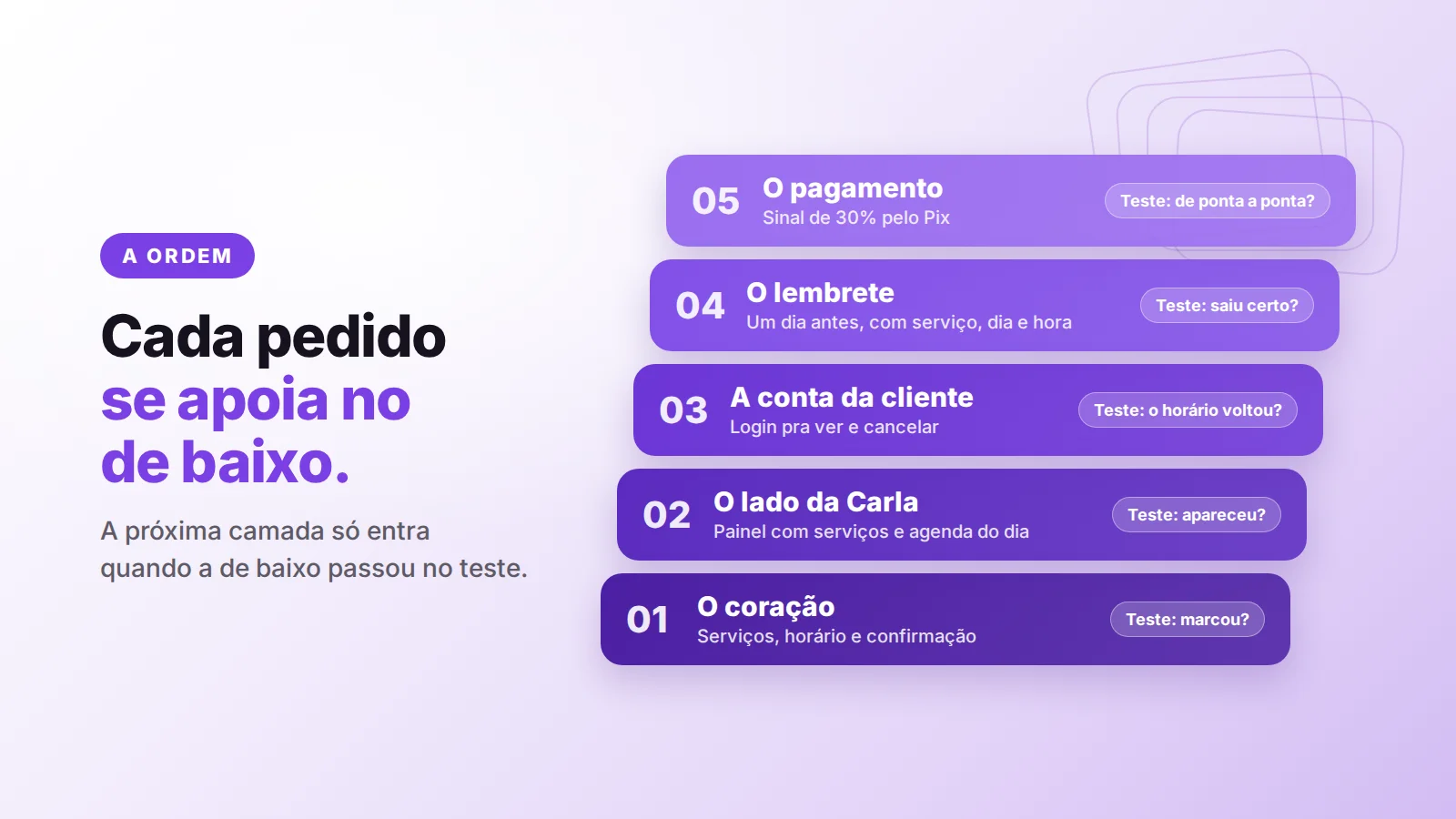
First what the client uses, then whoever runs the place, then the account, then the alerts. Money goes last.
If you cannot test a request in one minute, it is more than one request.
And when something breaks along the way?
It will. Count on it.
The difference is that now you know where to look. It broke after request 3? The problem is in request 3. You describe what happened, ask for a fix to that one thing and leave the rest alone.
In lesson 3, which is up on our YouTube, we did exactly that with a bakery app for an apartment building. First ordering and receiving, then the payment, then the alerts. Worth watching once you have read this.
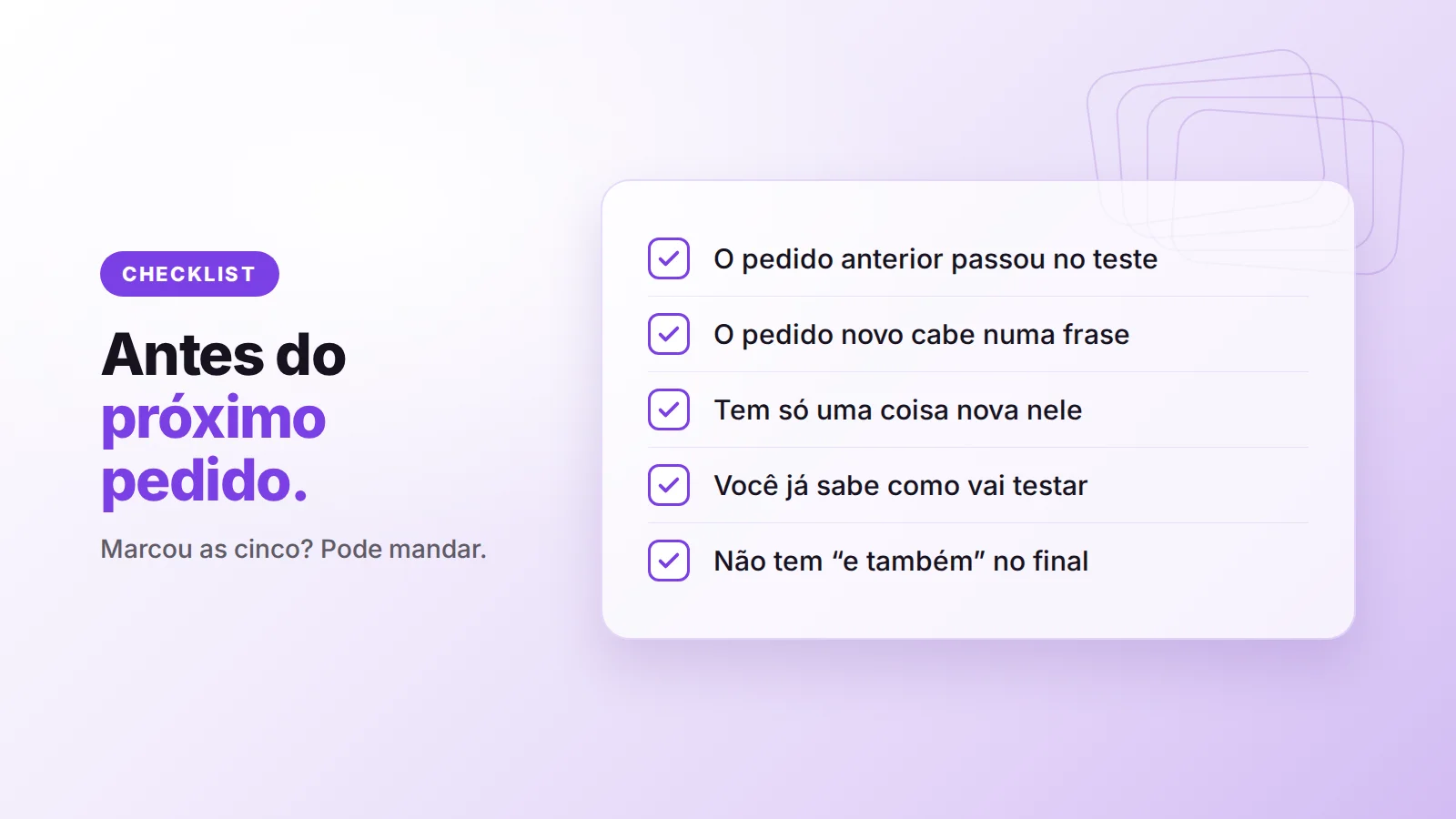
Before you send the next request, check
- The previous request passed its test.
- The new request fits in one sentence.
- There is only one new thing in it.
- You already know how you are going to test it.
- There is no "and also" at the end.
Now it is your turn
Grab the sheet you made in lesson 2 and write out your app's requests, in order. Next to each one, the test you are going to run before moving on to the next.
Post your list in the #vibe-week channel of our Discord community. We will go through them one by one.
And if you do not have a Fabapp account yet, you can start for free at fabapp.ai. Until the 27th, during Vibe Week, the discount and the extra credit are already applied automatically on the site.
Douglas
A ready request to build your own
Build a waitlist app for a walk-in barbershop. The customer joins the line from their phone with their name and service, sees their position and estimated wait, and gets a push notification when there are two people ahead; the barber calls the next customer and marks them as served or no-show; anyone who does not show up within 5 minutes is removed from the line; the line closes on its own at the end of the workday; and an admin dashboard only I can see with customers served per day, average wait time and most frequent services.
Free to start. The first version arrives in a few minutes and you refine it by chatting.